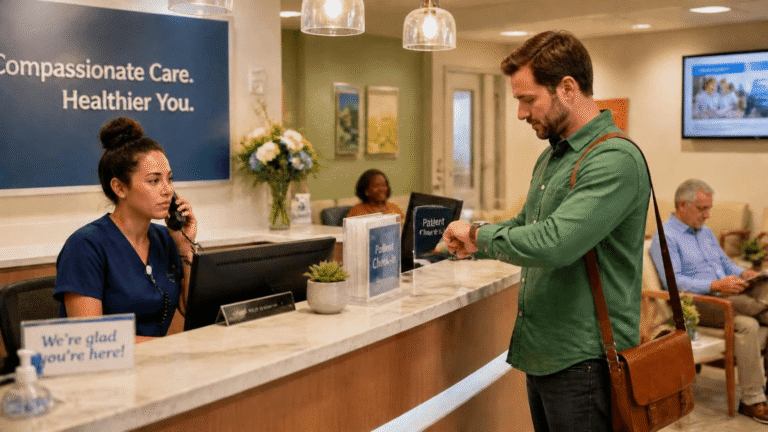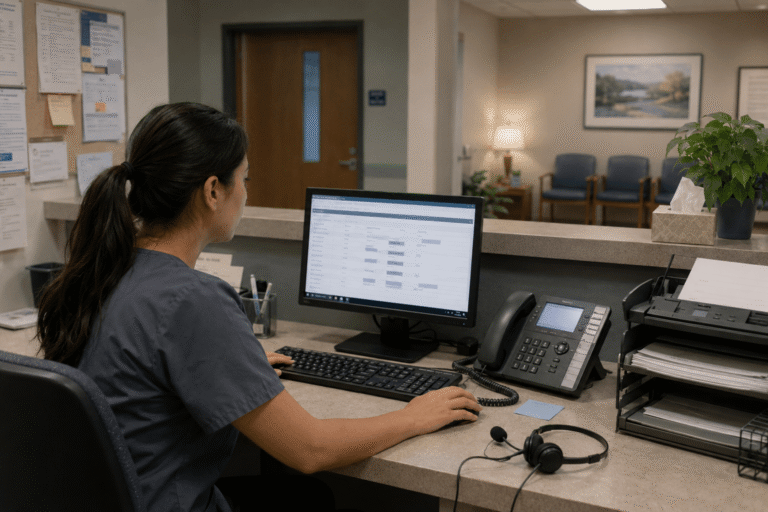

In the bustling world of modern healthcare, running multiple clinics under one organization often feels like conducting an orchestra without a conductor. Appointments overlap, patient calls get lost in the shuffle, and critical updates between locations take too long to reach the right person. Yet a quiet revolution is underway: cloud phone systems are stepping in to bring order to the chaos. For healthcare leaders seeking smarter ways to connect their practices, how cloud phone systems improve multi-clinic coordination has moved from a technical curiosity to a daily operational necessity.
Missed calls, scattered text messages, voicemails buried in separate apps disrupt patient care and expose practices to compliance risks. Erodes patient trust, longer waits and wasted staff time. RingRx changes that by combining voice, secure texting, fax, video visits, and on-call scheduling into one intuitive, fully HIPAA-compliant platform designed specifically for medical workflows. See how your practice can grow, run more smoothly, and deliver a better experience for every patient. Sign Up for RingRx Free Trial today!
The Real-World Headaches of Multi-Clinic Coordination
Anyone who has worked in a multi-site medical group knows the frustration all too well. A patient calls the main line at one clinic only to be told the specialist they need is at another location across town. Meanwhile, the front desk at the second clinic has no idea the call is coming. Messages pile up in separate voicemail boxes, referrals fall through the cracks, and staff waste precious minutes tracking down colleagues. These aren’t minor inconveniences they directly affect patient satisfaction, staff morale, and even clinical outcomes.
Traditional phone setups, built for single-location offices, simply weren’t designed for today’s distributed care model. Lines go down during storms, extensions don’t transfer cleanly between buildings, and there’s no easy way to route calls based on who is actually available right now. The result? Fragmented communication that leaves everyone from patients to providers feeling disconnected.
What Makes Cloud Phone Systems Different
Unlike old-school landlines or on-premise PBX systems, cloud phone systems live on the internet. They turn every clinic location into part of a single, intelligent network. Calls can be answered from any device, anywhere, as long as there’s an internet connection. More importantly, they come packed with features tailored for healthcare’s unique demands: smart call routing, shared directories, and instant messaging that actually works across sites.
Think of it as giving every clinic its own virtual receptionist that knows the entire organization’s schedule. When a patient calls one office, the system can automatically forward them to the right provider at another clinic without forcing them to hang up and dial again. It’s seamless in a way that feels almost magical to anyone used to the old way of doing things.
Seamless Call Flow That Actually Helps Patients
One of the biggest wins shows up the moment a patient picks up the phone. Cloud systems let administrators set rules that make sense for real life: route urgent calls to the nearest available nurse, send after-hours inquiries to a central on-call line, or even let patients choose their preferred clinic from a simple menu. No more “Sorry, we can’t help you here try the other office.”
Staff benefit just as much. A receptionist at Clinic A can see who is free at Clinic B in real time and transfer the call with a click. Detailed call logs and analytics show patterns like which locations get the most after-hours calls so leaders can adjust staffing without guesswork. The entire experience feels coordinated rather than chaotic.
Strengthening Collaboration Across the Organization
Coordination isn’t just about incoming patient calls. It’s about the conversations happening behind the scenes between physicians, nurses, and administrators spread across different buildings. Cloud phone systems turn those scattered interactions into a unified flow. Secure messaging, presence indicators that show who is on a call or with a patient, and shared inboxes mean important updates no longer rely on sticky notes or group texts that get missed.
This kind of built-in teamwork matters now more than ever. Healthcare business collaboration tools have seen steady demand as organizations look for better ways to keep everyone on the same page, especially when caring for complex patients who move between multiple clinics.
Market Momentum Behind the Move to Cloud
The numbers tell a clear story about where healthcare communication is headed. The healthcare contact center solution market is poised to grow from USD 7,995 million in 2024 to USD 33,695.48 million by 2032. This expansion reflects the growing recognition that streamlined communication channels aren’t a luxury they’re essential for delivering better patient care while keeping operations efficient.
Providers aren’t adopting these tools because they sound futuristic. They’re choosing them because the practical payoff is immediate: fewer missed calls, faster response times, and a noticeable lift in both patient and staff satisfaction. The technology simply makes the daily work of multi-clinic care feel less like herding cats and more like a well-oiled machine.
Security and Compliance Built In from Day One
In healthcare, any communication tool must meet strict privacy standards. Leading cloud phone systems come with HIPAA-compliant features as standard: encrypted calls, secure messaging, automatic logging for audits, and controls that prevent unauthorized access. Administrators can set permissions down to the individual user level, ensuring the right people see the right information and nothing more.
This built-in protection removes one of the biggest worries when moving away from traditional phones. Instead of bolting compliance onto an outdated system, organizations get it woven into the platform itself freeing IT teams to focus on patient care rather than constant security patches.
Real Impact on Daily Operations
Clinics that make the switch often report the same pleasant surprises. Phone tag drops dramatically because staff can reach colleagues instantly, regardless of location. Patient no-show rates improve when automated reminders go out through the same system that handles live calls. Even billing and follow-up coordination become smoother when every interaction is logged in one place.
The technology also scales effortlessly as organizations grow. Adding a new clinic doesn’t mean installing new hardware or retraining everyone on a different phone system. The new location simply joins the existing cloud network, inheriting all the same rules and features overnight.
Addressing the Common Concerns Head-On
Change always comes with questions, and cloud phone systems are no exception. Some administrators worry about reliability during internet outages, but modern platforms include built-in failover options and mobile apps that keep critical lines open. Others wonder about the learning curve for staff, yet most systems are designed with intuitive interfaces that feel familiar from day one.
- Cost concerns often fade once leaders see the reduction in hardware maintenance and long-distance fees.
- Integration with existing electronic health records is now straightforward with most reputable providers.
- Training time is minimal because the systems mimic the phones people already know how to use.
The result is a solution that removes friction rather than adding it.
Looking Forward to More Connected Care
As healthcare continues its shift toward value-based models and patient-centered approaches, the ability to coordinate smoothly across locations will only become more important. Cloud phone systems aren’t just replacing old phones they’re laying the groundwork for a future where communication supports better outcomes instead of getting in the way.
The organizations that embrace these tools today are positioning themselves to deliver faster, more responsive care tomorrow. In an industry where every minute counts, that kind of coordination isn’t a nice upgrade. It’s becoming the standard of care.
Frequently Asked Questions
How do cloud phone systems improve coordination between multiple clinic locations?
Cloud phone systems connect all clinic locations into a single intelligent network, allowing calls to be routed, transferred, and managed across sites seamlessly. Staff at one clinic can view availability at another in real time and transfer patients with a single click, eliminating missed calls and disconnected handoffs. Features like shared directories, secure messaging, and presence indicators also keep physicians, nurses, and administrators aligned across buildings without relying on sticky notes or group texts.
Are cloud phone systems HIPAA-compliant for healthcare use?
Yes leading cloud phone systems are built with HIPAA compliance as a standard feature, not an afterthought. They include encrypted calls, secure messaging, automatic audit logging, and user-level access controls to ensure patient information stays protected. This built-in compliance removes the burden from IT teams and eliminates the need to patch outdated legacy systems to meet privacy regulations.
What are the cost and scalability benefits of switching to a cloud phone system for multi-clinic healthcare organizations?
Cloud phone systems reduce overhead by eliminating the need for on-premise hardware, minimizing long-distance fees, and cutting down on maintenance costs. When a healthcare organization opens a new clinic location, it simply joins the existing cloud network inheriting all routing rules and features instantly, with no new hardware installation required. This scalability makes cloud systems a cost-effective long-term investment, especially as the healthcare contact center market is projected to grow significantly through 2032.
Disclaimer: The above helpful resources content contains personal opinions and experiences. The information provided is for general knowledge and does not constitute professional advice.
You may also be interested in: Texting vs. Calling: What Patients Really Want in 2025 – RingRx
Missed calls, scattered text messages, voicemails buried in separate apps disrupt patient care and expose practices to compliance risks. Erodes patient trust, longer waits and wasted staff time. RingRx changes that by combining voice, secure texting, fax, video visits, and on-call scheduling into one intuitive, fully HIPAA-compliant platform designed specifically for medical workflows. See how your practice can grow, run more smoothly, and deliver a better experience for every patient. Sign Up for RingRx Free Trial today!
Powered by flareAI.co