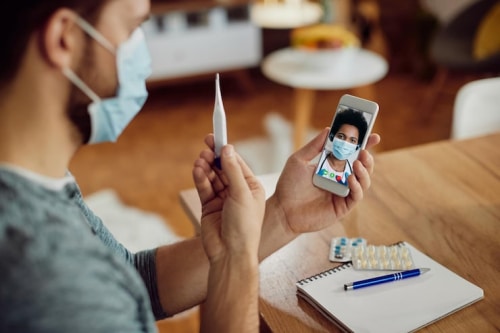
When a patient in crisis needs immediate support, every second counts. Yet too often, fragmented communication missed calls, delayed texts, or unreliable faxes creates dangerous gaps in care. Mobile telehealth apps are transforming this reality by delivering seamless, secure connections that enable clinicians to respond faster, help patients feel truly heard, and drive measurable improvements in health outcomes.
Missed calls, scattered text messages, voicemails buried in separate apps disrupt patient care and expose practices to compliance risks. Erodes patient trust, longer waits and wasted staff time. RingRx changes that by combining voice, secure texting, fax, video visits, and on-call scheduling into one intuitive, fully HIPAA-compliant platform designed specifically for medical workflows. See how your practice can grow, run more smoothly, and deliver a better experience for every patient. Sign Up for RingRx Free Trial today!
The Growing Role of Mobile Tools in Modern Healthcare
Healthcare delivery continues to evolve toward digital solutions that meet patients where they are whether at home, at work, or on the move. Practices nationwide, from trauma specialists in Maryland to pediatric groups in Texas and integrative clinics supporting chronic pain patients, now depend on mobile platforms to close critical gaps in care. These tools go far beyond basic appointment scheduling; they integrate voice calls, secure texting, fax services, and intelligent routing into a single, dependable channel.
For behavioral health providers managing conditions such as anxiety, PTSD, or OCD, consistent and accessible communication can determine whether a patient remains engaged in treatment or risks falling through the cracks. The same principle applies to home health agencies caring for elderly patients and families navigating complex pediatric needs.
How Mobile Telehealth Strengthens Patient Engagement
True patient engagement forms the foundation of improved health results. When individuals can easily reach their providers through familiar mobile channels, they become more likely to report symptoms promptly, adhere to treatment plans, and complete recommended follow-up care.
Imagine a patient recovering from trauma who suddenly experiences intense anxiety on a weekend evening. Through a secure, HIPAA-compliant mobile app, they can instantly send a message or start a call that routes directly to the on-call clinician. This level of immediacy fosters trust and prevents minor concerns from developing into larger crises.
Across the diverse practices supported by RingRx including psychological assessment centers in Oregon and direct primary care clinics focused on metabolic health mobile access has proven essential. Parents can text pediatricians about a child’s behavioral concerns, while caregivers coordinating hospice support receive quicker, more coordinated responses.
Unified Communications Designed for Real Medical Workflows
Legacy phone systems frequently force clinical teams to manage multiple disconnected apps and inboxes, wasting valuable time. A purpose-built healthcare platform eliminates this inefficiency by unifying phone calls with intelligent routing, secure texting, fax handling, and automated workflows that align with established clinical protocols.
This integrated approach reduces administrative workload, allowing clinicians to concentrate on patient care instead of wrestling with technology. Healthcare-specific features such as compliant messaging templates and priority routing for urgent situations enable teams to work more efficiently while upholding the highest standards of safety and privacy.
Practices providing EMDR therapy for PTSD or gender-affirming care have found that streamlined communication helps sustain therapeutic progress between sessions. The outcome includes smoother care transitions and fewer missed handoffs between team members.
Addressing Reliability and Compliance Concerns
Transitioning to a new communication system can feel risky, particularly when reliability across phone, text, and fax channels is essential and strict HIPAA compliance is non-negotiable. Providers also seek clear proof that a platform delivers superior value compared to generic or lower-cost alternatives.
RingRx was developed specifically as a healthcare-first solution rather than a general business tool adapted for medical use. Its transparent pricing removes unexpected fees, while advanced security measures and clinically tailored features meet the rigorous demands of healthcare environments. Real-world performance across varied settings from trauma centers to home health agencies confirms consistent reliability even in high-pressure situations. By providing one secure, unified platform, these solutions remove the friction that often erodes patient trust and staff satisfaction.
The Broader Landscape of Patient Engagement Solutions
North America continues to lead in the adoption of patient engagement solutions, driven by the growing need for accessible, technology-enabled care that respects patient’s preferences and lifestyles. The patient engagement solutions market reflects this momentum, with web and cloud-based delivery methods remaining particularly dominant due to their flexibility and scalability.
Secure messaging has similarly become a cornerstone of effective healthcare communication. It supports everything from appointment reminders to ongoing follow-up care in a format that feels natural to patients who text routinely in their daily lives. In the healthcare application-to-person SMS space, rising health awareness and widespread smartphone use continue to fuel demand for reliable, modern communication channels.
Real-World Impact on Clinical Outcomes
When communication operates smoothly, patients maintain stronger connections with their care teams. This sustained engagement promotes better adherence to treatment recommendations and enables earlier intervention when issues emerge.
In pediatric settings, direct text or app-based access allows parents to address routine questions or developmental concerns without resorting to unnecessary emergency department visits. For adults managing chronic conditions or recovering from surgery, timely mobile check-ins can help prevent complications and lower the likelihood of hospital readmissions.
These benefits extend across specialties. Trauma specialists supporting patients through difficult experiences and pediatricians guiding families through both everyday and complex challenges alike report that reliable mobile connections enhance the human element of care. Patients who know they can reach their provider easily and securely tend to engage more fully and achieve stronger results.
Overcoming Barriers to Adoption
Some practices remain cautious due to concerns about integration difficulties or staff training requirements. However, today’s leading platforms feature intuitive interfaces that significantly reduce learning curves and offer streamlined onboarding with dedicated healthcare-focused support.
Demonstrating return on investment is another common consideration. When teams spend less time tracking down messages across separate systems and more time delivering direct care, efficiency improvements become evident quickly. Lower no-show rates, higher patient satisfaction scores, and optimized internal workflows all contribute to both stronger financial performance and superior clinical results.
Practical Steps for Getting Started
- Evaluate current communication challenges across phone, text, and fax processes.
- Define essential features, including HIPAA-compliant messaging and smart call routing.
- Prioritize platforms engineered specifically for healthcare rather than general-purpose tools.
- Launch a targeted pilot in one department or location to validate benefits.
- Collect input from clinical staff and patients to fine-tune the implementation.
Looking Ahead: The Future of Connected Care
Mobile telehealth applications represent far more than simple conveniences they are rapidly becoming core infrastructure for delivering compassionate, responsive healthcare. As organizations increasingly emphasize patient-centered models, unified communication platforms that honor the unique demands of medical workflows will assume an even more vital role.
Reliable mobile connections strengthen the human side of medicine, whether supporting trauma recovery or helping families manage pediatric challenges. When patients can confidently reach their providers in a secure and straightforward manner, they participate more actively in their care, follow through with greater consistency, and ultimately experience better health outcomes.
The technology exists today. The opportunity to eliminate unnecessary barriers, cultivate deeper trust, and positively transform lives is substantial. For healthcare organizations prepared to move beyond outdated systems, the logical next step is selecting a partner that truly understands the complexities of clinical communication and provides a platform built to address them effectively.
Frequently Asked Questions
How do mobile telehealth apps improve patient outcomes?
Mobile telehealth apps improve patient outcomes by enabling instant, secure communication between patients and providers through voice calls, secure messaging, and intelligent call routing. This accessibility encourages patients to report symptoms early, adhere to treatment plans, and complete follow-up care. For chronic condition management and post-surgical recovery, timely mobile check-ins can help prevent complications and reduce hospital readmissions.
Are mobile telehealth apps HIPAA-compliant and secure?
Yes, purpose-built healthcare telehealth platforms are designed to meet strict HIPAA compliance standards through encrypted messaging, compliant communication templates, and secure data handling. Unlike general business tools adapted for medical use, healthcare-first platforms integrate security into every feature from secure texting to fax handling ensuring patient privacy is never compromised. Providers should prioritize platforms built specifically for clinical environments rather than repurposed generic solutions.
What features should I look for in a mobile telehealth communication platform?
A strong mobile telehealth platform should unify phone calls, secure texting, fax services, and smart call routing into a single, reliable channel tailored to clinical workflows. Key features include HIPAA-compliant messaging, priority routing for urgent situations, and automated workflows that align with established medical protocols. Healthcare-specific onboarding support and transparent pricing are also important factors to ensure smooth adoption and a clear return on investment.
Disclaimer: The above helpful resources content contains personal opinions and experiences. The information provided is for general knowledge and does not constitute professional advice.
You may also be interested in: Texting vs. Calling: What Patients Really Want in 2025 – RingRx
Missed calls, scattered text messages, voicemails buried in separate apps disrupt patient care and expose practices to compliance risks. Erodes patient trust, longer waits and wasted staff time. RingRx changes that by combining voice, secure texting, fax, video visits, and on-call scheduling into one intuitive, fully HIPAA-compliant platform designed specifically for medical workflows. See how your practice can grow, run more smoothly, and deliver a better experience for every patient. Sign Up for RingRx Free Trial today!
Powered by flareAI.co