Quick Listen:
Picture a bustling clinic on a typical weekday: a patient sends symptom details from the parking lot, a physician checks live vital signs during hospital rounds, and follow-up questions receive prompt answers without requiring another journey across town. Scenes like this have become routine in forward-thinking practices that have welcomed mobile health apps into daily operations. What began as basic step counters and calorie trackers has matured into powerful platforms that connect patients and providers more effectively than ever, fundamentally changing care delivery both inside clinic walls and beyond.
The shift gained real momentum during the pandemic, when remote options turned from a luxury into a lifeline. Clinics today adopt these apps not merely for ease but to enhance patient outcomes, cut down on missed appointments, and reach communities that previously faced barriers to consistent care. The wider telehealth landscape, where mobile health plays a central role, mirrors this expansion. Recent industry assessments show substantial growth in the sector, with one leading analysis placing the global telehealth market at USD 123.26 billion in 2024 . Such momentum highlights how technology has evolved from an optional feature into an essential component of contemporary clinical practice.
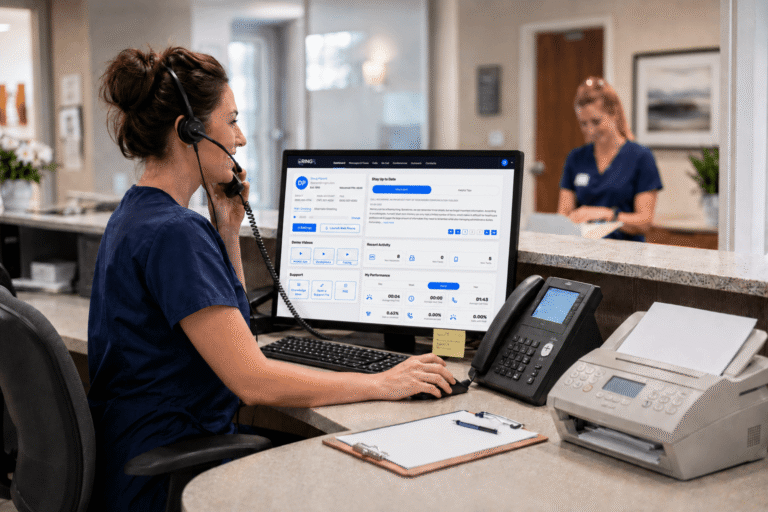
Missed calls, scattered text messages, voicemails buried in separate apps disrupt patient care and expose practices to compliance risks. Erodes patient trust, longer waits and wasted staff time. RingRx changes that by combining voice, secure texting, fax, video visits, and on-call scheduling into one intuitive, fully HIPAA-compliant platform designed specifically for medical workflows. See how your practice can grow, run more smoothly, and deliver a better experience for every patient. Sign Up for RingRx Free Trial today!
From Novelty to Necessity: The Integration of Mobile Apps in Clinical Care
Mobile health, frequently referred to as mHealth, includes applications that empower patients to track their conditions, exchange secure messages, schedule visits, and transmit data straight to their healthcare team. Initial offerings centered on general wellness, such as monitoring physical activity. However, clinics soon recognized their value in supporting ongoing management of chronic conditions including diabetes, high blood pressure, and mental health concerns.
Today, providers rely on these tools across specialties from sharing radiology images to conducting virtual cardiology consultations. The standout advantage lies in convenience: patients skip crowded waiting areas, while clinicians receive timely information without depending exclusively on face-to-face encounters. In rural settings or practices spread across multiple locations, mobile apps help bridge distance, ensuring care continuity even when travel proves difficult.
A clear illustration comes from specialized communication platforms built for healthcare environments. These solutions combine secure texting, fax capabilities, voice calls, and video conferencing into one HIPAA-compliant mobile experience. Staff can manage inquiries efficiently whether during rounds, from home offices, or while traveling between sites while upholding strict privacy standards and maintaining smooth workflows.
What Is Driving Widespread Adoption in Clinics
Multiple factors have aligned to make mobile health apps a standard part of clinical operations. Near-universal smartphone access has placed advanced technology within reach for the majority of patients. Better broadband coverage, particularly in cities and surrounding suburbs, ensures dependable video connections and data sharing. At the same time, updates to regulations and insurance guidelines have increasingly treated remote services as eligible for reimbursement, easing financial obstacles.
Practices also contend with ongoing challenges such as workforce limitations, heightened expectations for digital convenience from patients, and the imperative to handle long-term illnesses more effectively. Mobile apps respond by supporting asynchronous interactions patients share updates when it suits them, and providers reply on their own schedule. This approach lightens administrative loads and helps address minor concerns before they develop into more serious, expensive issues.
Investment in digital infrastructure continues to rise in parallel with patient interest. Many clinics observe that providing app-based options boosts satisfaction and encourages ongoing engagement, especially with younger patients who consider intuitive digital experiences a fundamental requirement.
Tangible Benefits Transforming Day-to-Day Clinical Practice
The value of mobile health extends well past simple convenience. These applications enable truly tailored care pathways. For instance, individuals managing hypertension can record daily blood pressure readings; the system automatically highlights worrisome patterns and notifies the care team. In behavioral health, mood logging and structured self-help activities between sessions help sustain progress during periods when in-person therapy is less frequent.
Secure mobile platforms accelerate image reviews and specialist input in fields like radiology and cardiology, often reducing the time to diagnosis. Within larger practices, unified access to patient messages improves team coordination, keeping nurses, doctors, and support staff synchronized without relying on scattered emails or overlooked phone messages.
Efficiency gains appear in other areas as well. Reduced no-shows, less reliance on paper records, and stronger chronic disease oversight contribute to lower overall resource use. Patients particularly value the ability to avoid unneeded travel, a significant relief for those juggling jobs, caregiving responsibilities, or mobility limitations.
Obstacles Clinics Continue to Address
Even with clear advances, full integration still presents hurdles. Protecting privacy and data security ranks among the highest priorities; any clinical app must adhere to rigorous HIPAA requirements to safeguard sensitive information. Practices must thoroughly evaluate suppliers and provide thorough staff training to minimize risks.
Comfort with technology differs widely among both patients and providers. Seniors or residents in areas with limited connectivity may find apps challenging to use, potentially leaving some groups behind. Occasional technical issues slow performance, device incompatibilities, or difficulties linking with existing record systems can create frustration and hinder broader uptake.
While reimbursement frameworks have progressed, inconsistencies persist in certain locations. Clinics commit resources upfront to choose, adapt, and support these systems, requiring demonstrable benefits to justify the effort. Another concern involves information volume: when numerous readings and communications arrive continuously, clinicians benefit from intelligent prioritization tools that highlight urgent matters rather than overwhelming inboxes.
Strategies for Successful Implementation
Effective adoption typically begins modestly. Clinics often test one or two targeted applications such as secure messaging or condition-specific monitoring before expanding. Role-specific training builds staff proficiency, while accessible educational resources in various formats and languages help diverse patient groups participate comfortably.
Selecting solutions developed specifically for healthcare settings, rather than adapting general tools, simplifies compliance. Useful capabilities like automated filtering of unwanted messages, transcribed voicemails, and flexible routing options enhance daily efficiency while preserving security.
The Road Forward for Mobile Health in Healthcare Settings
Future developments suggest even closer fusion of these technologies into routine care. Artificial intelligence promises to sharpen data interpretation, delivering earlier warnings that allow proactive intervention. Devices worn by patients could stream information directly into clinic systems, making ongoing oversight standard for those at elevated risk.
Combined models that mix occasional office visits with app-enabled remote check-ins seem destined to become commonplace. This balanced method increases capacity without demanding equivalent growth in physical facilities or personnel. Areas such as behavioral health and virtual consultations where trust and prompt access carry special weight already show promising results from mobile support.
North America maintains a leading position, supported by strong infrastructure and sustained investment. Nevertheless, expansion continues worldwide, particularly where digital solutions help overcome traditional access limitations. The central challenge remains designing these advancements to benefit every patient fairly, regardless of technical familiarity.
Actionable Recommendations for Clinics Considering Mobile Health
- Evaluate existing processes to pinpoint specific inefficiencies such as after-hours inquiries or tracking ongoing follow-ups that mobile tools could resolve effectively.
- Focus on solutions that meet stringent HIPAA standards and include robust encryption along with complete audit capabilities.
- Engage clinical staff and patient representatives early in the evaluation and trial phases to confirm practical fit and ease of use.
- Establish continuous education and technical assistance programs, acknowledging that platforms and features advance rapidly.
- Track meaningful indicators including engagement levels, appointment adherence improvements, and time efficiencies to refine the approach over time.
Why Mobile Health Matters for the Future of Care
Mobile health applications have clearly progressed beyond trial stages. They embody a meaningful evolution toward care that centers patients, operates more efficiently, and improves accessibility. Clinics that incorporate them with careful planning can foster stronger patient connections, streamline internal operations, and prepare for an era in which digital and traditional elements of care complement each other naturally.
While challenges exist, the overall direction remains evident. As capabilities mature and proven methods spread, these mobile solutions are likely to become as fundamental to clinic operations as core diagnostic instruments have been historically supporting improved health results through every notification, message, and virtual interaction.
Ultimately, the growing presence of these apps represents more than technological advancement. It demonstrates a genuine dedication to reaching patients in the places and moments that matter most to them. Amid rising demands on healthcare systems, this flexibility stands as one of the most strategic advantages any practice can develop.
Frequently Asked Questions
What are mobile health apps and how are clinics using them to improve patient care?
Mobile health apps (mHealth) are digital platforms that allow patients to track conditions, send secure messages, schedule appointments, and share health data directly with their care team. Clinics are using them across specialties from managing chronic diseases like diabetes and hypertension to conducting virtual cardiology consultations and sharing radiology images. By enabling real-time data exchange and reducing dependence on in-person visits, these tools help providers deliver more timely, personalized care both inside and outside clinic walls.
Are mobile health apps in clinics secure and HIPAA-compliant?
Yes when properly selected and implemented, clinical mobile health apps are built to meet strict HIPAA requirements, incorporating robust encryption, complete audit capabilities, and secure communication features such as encrypted messaging, voice, and video. Clinics are advised to thoroughly vet vendors and invest in ongoing staff training to minimize data security risks. Choosing solutions designed specifically for healthcare environments, rather than repurposing general consumer apps, is the most reliable path to maintaining patient privacy and regulatory compliance.
What are the biggest benefits and challenges of adopting mobile health apps in a clinical setting?
The key benefits include reduced no-show rates, improved chronic disease management, faster specialist consultations, and greater care access for patients in rural or underserved areas all while easing administrative burdens on staff. However, clinics also face real challenges: varying levels of tech comfort among patients and providers, integration issues with existing health record systems, inconsistent reimbursement policies, and the risk of information overload from continuous data streams. Successful adoption typically starts small piloting one or two targeted tools while providing role-specific training and tracking measurable outcomes like engagement and appointment adherence.
Disclaimer: The above helpful resources content contains personal opinions and experiences. The information provided is for general knowledge and does not constitute professional advice.
You may also be interested in: Texting vs. Calling: What Patients Really Want in 2025 – RingRx
Missed calls, scattered text messages, voicemails buried in separate apps disrupt patient care and expose practices to compliance risks. Erodes patient trust, longer waits and wasted staff time. RingRx changes that by combining voice, secure texting, fax, video visits, and on-call scheduling into one intuitive, fully HIPAA-compliant platform designed specifically for medical workflows. See how your practice can grow, run more smoothly, and deliver a better experience for every patient. Sign Up for RingRx Free Trial today!
Powered by flareAI.co