Quick Listen:
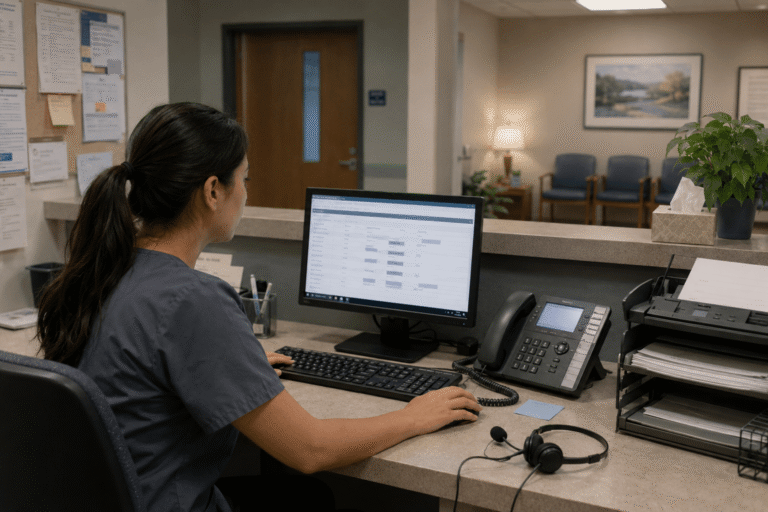
Virtual phone services for medical practices can help teams manage calls, texts, faxes, voicemail, and video, and route them through fewer disconnected tools. For busy practices, the value is not a long feature list. It is a phone system that fits daily healthcare workflows.
Medical practices often handle appointment questions, billing calls, referral requests, lab communication, after-hours messages, and patient follow-up with limited staff. When those workflows are spread across separate systems, staff may waste time switching tools or confirming who is responsible for the next step.
RingRx supports HIPAA-compliant phone, text, fax, video, voicemail, call routing, and on-call workflows in one platform for healthcare teams. That gives practices a clearer way to manage patient communication from one place.
Missed calls, scattered text messages, and voicemails buried in separate apps can disrupt patient care and create compliance concerns. They can also erode trust, lengthen response times, and waste staff time. RingRx supports HIPAA-compliant phone, text, fax, video, and on-call workflows in one platform for healthcare teams. See how RingRx can help your practice manage communication in one place. Sign up for a free RingRx trial today.
Why Medical Practices Need Flexible Phone Workflows
Medical office communication rarely follows one simple path. A patient may call the front desk, leave a voicemail, receive a text, or need a faxed document handled by another team member.
If the phone system cannot adapt to those workflows, staff may create workarounds. For example, they may forward calls manually, check multiple inboxes, or use separate tools for texting and faxing.
Virtual phone services for medical practices can help by consolidating more of that work into a single managed communication system.
Where Legacy Phone Systems Create Friction
Legacy phone systems often handle basic calling, but they may not support the full communication workflow. Practices may need separate systems for fax, voicemail, patient texting, mobile access, and after-hours coverage.
That separation creates extra work. Staff may need to confirm whether a fax arrived, check voicemail from one location, or track down the right person for an after-hours issue.
A more connected setup gives the team a clearer way to manage communication without having to rebuild every process from scratch.
What Virtual Phone Services for Medical Practices Should Support
A virtual phone service should support the channels staff and patients already use. It should also make those channels easier to manage from fewer places.
Useful capabilities may include:
- Call routing by provider, role, department, or schedule
- Custom greetings and menu options for common caller needs
- Voicemail access and transcription where available
- Secure texting for appropriate patient communication
- Cloud-based faxing that staff can review and track
- After-hours and on-call routing controls
- Mobile and desk phone access for approved users
When these tools work together, practices have fewer disconnected systems to check and a clearer way to manage patient communication.
Supporting HIPAA-Conscious Communication
Healthcare communication may include protected health information. Therefore, practices need systems and policies that support HIPAA-compliant workflows across phone, text, fax, video, voicemail, and routing.
Technology alone does not make a practice compliant. Teams still need staff training, privacy policies, appropriate vendor agreements, and clear rules for handling patient information.
Before choosing a virtual phone service, practices should confirm whether the vendor offers a business associate agreement. They should also review how communication data is protected, who can access each channel, and how records are maintained.
How Customizable Features Help Staff
Customization matters when it reflects real office work. A small behavioral health practice, a family medicine office, and a multi-provider clinic may all need different call paths.
For example, new patient calls may route differently from established patient calls. Billing questions may go to a separate queue. After-hours calls may follow an on-call schedule.
The goal is not to add complexity. Instead, customizable features should help staff manage common workflows with less manual routing.
Common Concerns Before Switching
Changing phone systems can raise practical questions. Will current numbers transfer? Can staff keep familiar call flows? Does the platform support calls, texts, fax, video, voicemail, and routing?
A smoother rollout starts with clear planning. Practices should map current call flows, review number porting needs, confirm fax and voicemail workflows, and determine how after-hours calls should be handled.
Common setup questions include:
- Can the practice keep its existing phone and fax numbers?
- Which workflows need custom routing?
- Who needs access to calls, texts, voicemail, and fax?
- How should after-hours and on-call calls be handled?
- What setup and training support is included?
The goal is not to change every workflow at once. Instead, it is to move communication into a system that staff can manage more clearly.
Choosing Virtual Phone Services for Medical Practices
Virtual phone services for medical practices are most useful when they fit daily office workflows. The right platform should help teams manage calls, texts, faxes, voicemail, video, and routing without adding unnecessary complexity.
As they compare options, practices should look for healthcare-focused communication features, privacy safeguards, practical setup support, transparent pricing, and access controls that match staff roles.
For a broader context on cloud telephony services, this cloud telephony services market overview provides general background.
Better phone tools do not replace staff judgment. However, they give teams a clearer structure for managing patient communication, routing, and follow-up.
Frequently Asked Questions
Are virtual phone services for medical practices HIPAA-compliant?
Virtual phone services can support HIPAA-compliant workflows when they include appropriate safeguards, vendor agreements, access controls, and staff policies. Practices still need training and clear rules for handling protected health information.
What features should medical practices look for?
Practices should look for call routing, voicemail access, secure texting, cloud faxing, video where needed, after-hours controls, staff permissions, mobile access, and setup support.
How hard is it to switch phone systems?
The transition depends on current numbers, fax workflows, routing rules, users, and staff training. A practical rollout should include call-flow review, number-porting planning, testing, and training.
Disclaimer: This content is for general informational purposes and does not constitute legal or compliance advice.
You may also be interested in: RingRx: HIPAA Compliant Phone System Designed for Modern Practices
Missed calls, scattered text messages, and voicemails buried in separate apps can disrupt patient care and create compliance concerns. They can also erode trust, lengthen response times, and waste staff time. RingRx supports HIPAA-compliant phone, text, fax, video, and on-call workflows in one platform for healthcare teams. See how RingRx can help your practice manage communication in one place. Sign up for a free RingRx trial today.