
Quick Listen:
Medical practices rely on the front desk to answer calls, route questions, manage messages, and keep patient communication moving. When those workflows are spread across separate phone, voicemail, fax, and texting tools, staff can miss details or spend extra time tracking down information. Virtual receptionist tools can help organize front-desk communication, route calls more consistently, and give staff a clearer way to manage routine patient contact.
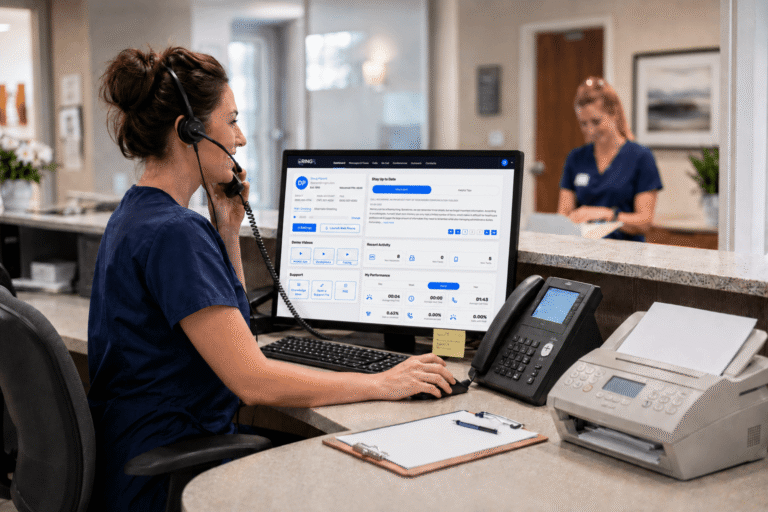
Missed calls, scattered text messages, and voicemails buried in separate apps disrupt patient care and expose practices to compliance risks. They also erode patient trust, create longer waits, and waste staff time. RingRx supports HIPAA-compliant phone, text, fax, video, and on-call workflows in one platform for healthcare teams. See how RingRx can support healthcare communication in one place. Sign up for a free RingRx trial today.
The Persistent Challenges at Traditional Front Desks
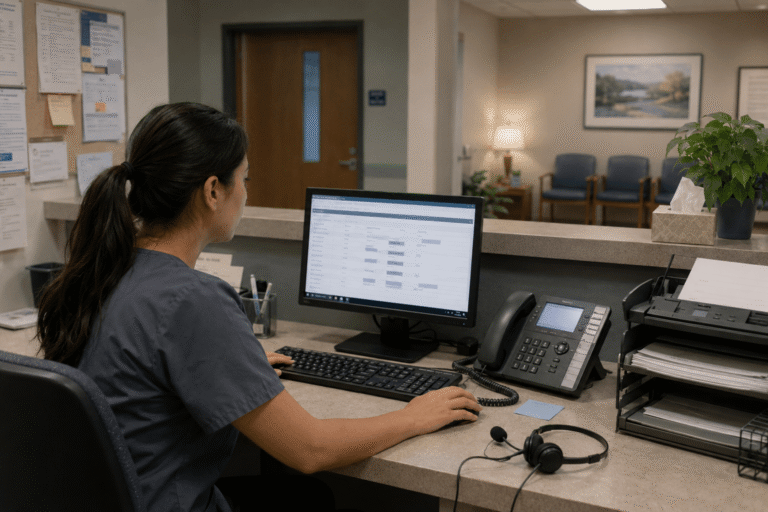
The front desk carries a lot of the daily communication load. Staff answer calls, manage check-ins, update records, and coordinate with clinical teams. When call volume rises, messages can be missed, and follow-ups can slip. Patients may experience longer hold times or feel unsure whether their concern reached the right person. For busy practices, routine communication can quickly become a source of stress.
A Market Moving Toward Smarter Solutions
The need for better front-desk communication tools is clear. Healthcare providers are looking for practical ways to manage patient calls, messages, appointment questions, and after-hours workflows without adding unnecessary complexity. Virtual receptionist features can help by routing calls, presenting menu options, capturing voicemail, and handling routine communication tasks, so staff can focus on issues that require human judgment.
Built Specifically for Real Medical Workflows
Healthcare communication tools need to support the way practices actually work. That can include routing calls by department, sending after-hours calls to the right destination, organizing voicemails, and supporting secure texting. The goal is not to replace front-desk judgment. It is to give staff a clearer system for handling daily calls and messages.
Unified Communications That Actually Work Together
One of the main benefits is keeping communication channels easier to manage. Phone calls, secure texts, faxes, voicemail, and after-hours routing can work together instead of forcing staff to check disconnected tools. That helps reduce missed messages, improve handoffs, and give patients a more consistent communication experience while supporting HIPAA-conscious workflows.
Security and Compliance Without Compromise
Patient privacy remains a core concern for every healthcare practice. Communication tools used by front-desk teams should support HIPAA-compliant workflows with safeguards such as secure access, encryption, and audit-friendly records where appropriate. Practices still need clear policies, staff training, and careful handling of patient information, but the right platform can make secure communication easier to manage.
Addressing the Fear of Disruption During Transition
Any change in front-desk communication can raise questions. Will setup be smooth? Will staff need extra training? Will calls, texts, faxes, and routing work reliably while the team adjusts? A healthcare-focused platform should provide clear setup support, practical training, and tools that fit existing workflows. The goal is to reduce disruption and give staff a more organized way to manage daily communication.
Pricing That Brings Clarity Instead of Surprises
Budget predictability matters in healthcare. Practices need to understand what is included, what may cost extra, and how communication expenses change as the team grows. Clear pricing helps medical offices compare options more confidently and avoid surprises tied to add-on features, usage fees, or support needs.
How Better Communication Supports Daily Practice Operations
Better front-desk communication can help practices respond faster, organize messages more clearly, and reduce avoidable back-and-forth. Mental health practices, specialty clinics, home care teams, and multi-location offices often need to coordinate sensitive information across calls, texts, voicemail, and fax. When those channels are easier to manage, staff can spend less time tracking messages and more time helping patients get to the right next step.
- Faster routing for urgent patient needs
- Clearer follow-up for appointment reminders
- Less time spent checking disconnected tools
- More consistent communication across calls, texts, voicemail, and fax
Moving Forward With Confidence
Choosing the right virtual receptionist tools comes down to fitting with real practice workflows. Practices should look for healthcare-focused communication features, clear privacy safeguards, practical setup support, and pricing they can understand. The right system should make daily communication easier to manage without adding unnecessary complexity.
In many practices, the front desk is always busy. The goal is not to remove that pressure entirely. It is to give staff better tools for calls, messages, voicemails, faxes, and after-hours routing. When communication is easier to manage, teams can respond more consistently and spend less time chasing scattered information.
Frequently Asked Questions
How do virtual receptionist services improve front-desk operations in medical practices?
Virtual receptionist tools can help medical practices organize front-desk communication by supporting call routing, voicemail, secure texting, fax, and after-hours workflows in one platform. They can reduce the need to check disconnected systems and make it easier for staff to direct patients to the right next step.
Are virtual receptionist services for medical offices HIPAA-compliant and secure?
Virtual receptionist tools used by medical offices should support HIPAA-compliant workflows with appropriate safeguards, such as secure access, encryption, and audit-friendly records where available. Practices should also confirm how each vendor handles protected health information, whether a business associate agreement is in place, and which internal policies staff must follow.
What should medical practices consider when evaluating virtual receptionist tools?
Medical practices should review what is included in the monthly price, whether phone, text, fax, voicemail, and after-hours routing are covered, and whether any setup, support, or usage fees apply. They should also consider how the system fits current staff workflows and whether it reduces the need to manage communication across disconnected tools.
Disclaimer: This content is for general informational purposes and does not constitute legal or compliance advice.
You may also be interested in: RingRx vs. Weave: Compare VoIP for Healthcare Practices
Missed calls, scattered text messages, and voicemails buried in separate apps disrupt patient care and expose practices to compliance risks. They also erode patient trust, create longer waits, and waste staff time. RingRx supports HIPAA-compliant phone, text, fax, video, and on-call workflows in one platform for healthcare teams. See how RingRx can support healthcare communication in one place. Sign up for a free RingRx trial today.
Powered by flareAI.co