
Effective communication can determine the quality of patient outcomes. For busy trauma therapy practices managing multiple locations or integrative medicine clinics addressing chronic conditions, outdated phone systems often create unnecessary delays and frustrations. Modern VoIP systems are transforming patient scheduling by delivering reliable, integrated communication that enhances efficiency and supports timely care delivery.
Practices such as Trauma Specialists of Maryland, operating across Frederick, Maryland, Lewes, Delaware, and Hanover, Pennsylvania, or Cormendi Health, which focuses on holistic approaches to chronic pain and metabolic health, face constant pressure to optimize schedules without compromising care quality. Efficient scheduling goes far beyond filling slots it ensures patients receive timely interventions while minimizing administrative burdens on clinical teams.
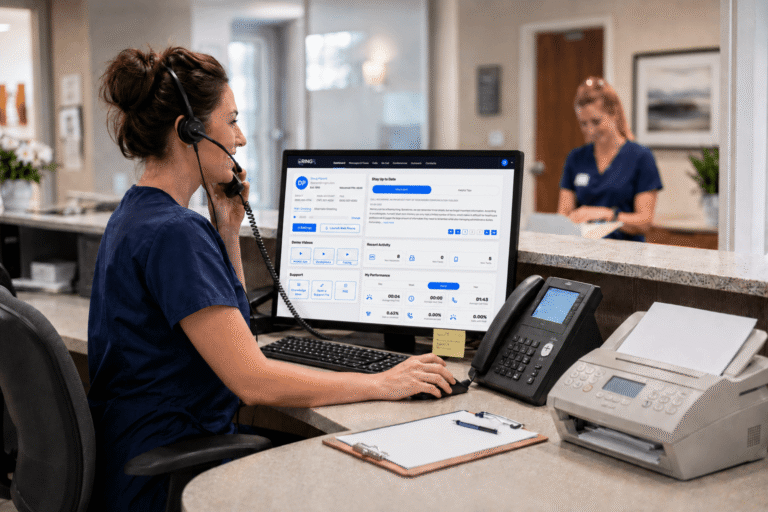
Missed calls, scattered text messages, voicemails buried in separate apps disrupt patient care and expose practices to compliance risks. Erodes patient trust, longer waits and wasted staff time. RingRx changes that by combining voice, secure texting, fax, video visits, and on-call scheduling into one intuitive, fully HIPAA-compliant platform designed specifically for medical workflows. See how your practice can grow, run more smoothly, and deliver a better experience for every patient. Sign Up for RingRx Free Trial today!
The Hidden Costs of Legacy Scheduling Systems
Many healthcare providers continue to rely on traditional phone lines that restrict mobility and create communication silos. Dropped calls, overflowing voicemails, and fragmented coordination between front-desk staff, clinicians, and patients lead to higher no-show rates, double bookings, and increased staff burnout. These challenges are particularly acute in multi-site operations or specialized practices handling trauma recovery, psychological assessments, or ongoing chronic care management.
When communication feels disjointed, patients experience longer hold times and routing errors. A parent seeking details about an EMDR intensive session or a patient scheduling follow-up for thyroid management may become discouraged, resulting in lost trust and disruptions to care continuity. Over time, these inefficiencies translate into measurable impacts on practice revenue and patient satisfaction.
How VoIP Technology Delivers Clarity and Efficiency
Voice over Internet Protocol (VoIP) replaces outdated landlines with secure, internet-based communication that unifies voice, text, fax, and intelligent call routing in a single platform. This enables practices to direct urgent trauma-related inquiries immediately to specialists while routing routine scheduling requests to the appropriate team members, reducing response times and improving overall workflow.
Advanced features such as automated attendants provide customized greetings and menus tailored to the time of day or call urgency, easing the burden on reception staff. Ring groups ensure calls reach available providers across multiple locations, preventing missed opportunities. For clinics managing diverse needs from anxiety assessments to integrative women’s health these tools create a more responsive and professional patient experience.
Automated Reminders That Reduce No-Shows Effectively
One of the most impactful features of modern VoIP platforms is the ability to send automated reminders via voice calls, secure texts, or integrated messaging. Patients receive timely, personalized notifications about upcoming appointments, whether for PTSD therapy sessions or routine metabolic health check-ins. Real-world implementations demonstrate that well-designed reminder systems can significantly lower no-show rates, allowing practices to maximize available appointment slots and maintain steady patient flow.
Unlike generic mass communications, these systems integrate directly with practice workflows to deliver context-aware messages while upholding strict privacy standards. Automated follow-ups further strengthen patient engagement without requiring additional manual effort from staff, creating a seamless loop of communication that supports adherence to treatment plans.
Seamless Integration with Healthcare Workflows
What distinguishes healthcare-focused VoIP solutions is their design specifically for clinical environments. These platforms combine multiple communication channels into a HIPAA-compliant ecosystem that aligns with real medical workflows rather than generic business needs. When a call arrives, relevant patient context such as insurance information or recent clinical notes can appear instantly, enabling more informed and efficient scheduling decisions.
This capability proves especially valuable in multi-location or hybrid care models. Calls can roll over smoothly to on-call providers after hours, while non-urgent matters are queued appropriately. Teams coordinating care for chronic pain management or psychological evaluations benefit from enhanced collaboration that maintains both privacy and operational reliability.
Key Benefits of Integrated VoIP Systems
- Intelligent call routing that matches urgency and specialty to the right provider
- Unified messaging across voice, text, and fax for complete communication history
- Patient context pop-ups during incoming calls for personalized interactions
- After-hours handling with secure escalation protocols
- Scalable architecture that grows with practice expansion or telehealth integration
Addressing Common Implementation Concerns
Transitioning to a new communication system naturally raises valid questions about potential disruptions, reliability across channels, and overall value compared to simpler alternatives. Leading platforms minimize operational impact through streamlined setup processes and training programs designed specifically for medical teams.
These solutions deliver consistent performance for all communication types, supported by features engineered for healthcare demands. Transparent pricing models without hidden fees allow practices to forecast costs accurately, while the resulting gains in reduced no-shows, decreased administrative workload, and higher patient satisfaction frequently deliver strong returns on investment.
The broader healthcare industry reflects this positive momentum. North America continues to lead in the adoption of clinical communication and collaboration tools, as providers seek solutions that strengthen care coordination and workflow efficiency amid growing demands from chronic disease management and increasing patient volumes.
Real-World Impact on Patient Care and Outcomes
Beyond operational improvements, optimized scheduling through advanced VoIP platforms directly supports core clinical priorities. Providers spend less time managing paperwork or tracking messages and more time delivering personalized care. A trauma specialist can quickly confirm details for an intensive therapy session, while an integrative practitioner can schedule timely follow-ups for symptom management without unnecessary delays.
Patients also benefit from clearer, more reliable communication, which builds confidence, reduces appointment-related anxiety, and promotes better adherence to recommended treatment plans. In an era where timely access to care significantly influences health outcomes, these incremental enhancements accumulate into substantial improvements in both experience and results.
Overcoming Reliability and Compliance Challenges
Healthcare environments require uncompromising reliability and rigorous privacy protections. Contemporary VoIP solutions address these requirements through specialized features, including encrypted channels that safeguard sensitive discussions and comprehensive audit capabilities that support regulatory compliance.
Compared to fragmented legacy tools or basic low-cost options, these unified platforms provide scalable solutions that adapt as practices grow whether through additional locations or expanded telehealth services while maintaining consistent performance and security standards.
Positioning Scheduling as a Strategic Advantage
As healthcare evolves toward more coordinated, patient-centered delivery models, robust communication infrastructure emerges as a key differentiator. VoIP systems engineered for medical workflows do more than resolve scheduling bottlenecks they elevate the entire care experience for both providers and the individuals they serve.
Practices that adopt these technologies often find that an initial investment in better communication infrastructure lays the groundwork for stronger patient relationships and greater operational resilience. Ultimately, the focus remains on creating an environment that prioritizes healing over administrative hurdles.
While the technical aspects may seem complex at first, the tangible human benefits fewer missed connections, smoother daily operations, and increased capacity for meaningful patient interactions make the transition highly worthwhile. For clinics and specialists navigating today’s complex healthcare landscape, implementing intelligent VoIP solutions represents a practical and forward-thinking step toward improved outcomes, one well-coordinated appointment at a time.
Frequently Asked Questions
What are the main advantages of VoIP systems for healthcare scheduling?
VoIP systems deliver intelligent call routing that matches urgent patient inquiries to the right specialists while automating routine scheduling requests. They unify voice, text, fax, and messaging in a HIPAA-compliant platform, reducing communication silos and response times. Key benefits include automated appointment reminders that lower no-show rates, patient context pop-ups during calls for personalized interactions, and seamless after-hours handling all of which reduce administrative burden and improve overall workflow efficiency.
How do automated reminders in VoIP systems reduce patient no-shows?
Modern VoIP platforms send personalized appointment reminders via voice calls, secure texts, or integrated messaging, ensuring patients receive timely notifications tailored to their specific care needs whether for therapy sessions or routine health check-ins. These context-aware messages integrate directly with practice workflows while upholding strict privacy standards, strengthening patient engagement without requiring additional manual staff effort. Real-world implementations show that well-designed reminder systems significantly lower no-show rates, allowing practices to maximize available appointment slots and maintain steady patient flow.
Is VoIP compliant with HIPAA requirements for medical practices?
Yes, healthcare-focused VoIP solutions are specifically designed as HIPAA-compliant ecosystems that align with clinical environments. These platforms combine multiple communication channels with encrypted safeguards that protect sensitive patient information and discussions, while comprehensive audit capabilities support regulatory compliance. Unlike generic business VoIP options or fragmented legacy tools, medical-grade solutions provide unified platforms that maintain consistent security and privacy standards as practices expand across multiple locations or integrate telehealth services.
Disclaimer: The above helpful resources content contains personal opinions and experiences. The information provided is for general knowledge and does not constitute professional advice.
You may also be interested in: trim to:)Secure Patient Texting Improves Chronic Care Follow-Up
Missed calls, scattered text messages, voicemails buried in separate apps disrupt patient care and expose practices to compliance risks. Erodes patient trust, longer waits and wasted staff time. RingRx changes that by combining voice, secure texting, fax, video visits, and on-call scheduling into one intuitive, fully HIPAA-compliant platform designed specifically for medical workflows. See how your practice can grow, run more smoothly, and deliver a better experience for every patient. Sign Up for RingRx Free Trial today!
Powered by flareAI.co