
Quick Listen:
VoIP systems for telehealth can help healthcare providers manage calls, texts, faxes, video, voicemail, and routing from fewer disconnected tools. For practices that offer remote care, communication needs to be reliable, organized, and appropriate for healthcare workflows.
Telehealth is not limited to the video visit itself. Patients may need help before the appointment, follow-up afterward, or a clear way to reach the practice when something changes.
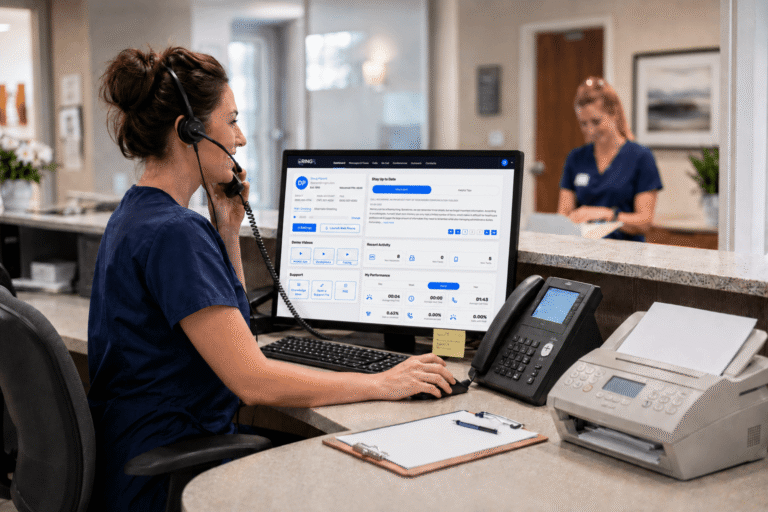
RingRx supports HIPAA-compliant phone, text, fax, video, voicemail, call routing, and on-call workflows in one platform for healthcare teams. That gives telehealth practices a more organized way to manage patient communication from one place.
Missed calls, scattered text messages, and voicemails buried in separate apps can disrupt patient care and create compliance concerns. They can also erode trust, lengthen response times, and waste staff time. RingRx supports HIPAA-compliant phone, text, fax, video, and on-call workflows in one platform for healthcare teams. See how RingRx can help your practice manage communication in one place. Sign up for a free RingRx trial today.
Why Telehealth Needs More Than a Video Tool
Telehealth depends on several communication steps. Staff may confirm appointments, help patients connect, route questions, send follow-up instructions, or coordinate with other team members.
If each step happens in a separate system, staff can spend extra time switching tools. For example, a practice may use one platform for calls, another for video, another for fax, and another for patient messages.
VoIP systems for telehealth can help by keeping more of that communication within a single healthcare-focused workflow.
Where Standard Communication Tools Fall Short
Standard phone lines and consumer messaging tools were not built for healthcare workflows. They may help with basic communication, but they can create problems when teams need routing, voicemail, fax, video, and patient texting to work together.
During a busy day, a missed call may need a voicemail follow-up. A fax may need review. A patient may need help before a virtual visit. Meanwhile, staff still need to protect patient information and follow practice policies.
Generic tools often make that harder than it needs to be.
What VoIP Systems for Telehealth Should Support
A telehealth communication system should support the channels patients and staff already use. It should also give teams a clear way to manage those channels without adding unnecessary complexity.
Useful capabilities may include:
- Phone and call routing by role, provider, department, or schedule
- Video communication for virtual visits, where appropriate
- Secure texting for appropriate patient communication
- Voicemail access and transcription where available
- Cloud-based faxing that staff can review and track
- After-hours and on-call routing controls
- Mobile and desk phone access for approved users
When these tools work together, staff have fewer disconnected systems to check and a clearer way to manage patient communication.
Supporting HIPAA-Conscious Telehealth Communication
Telehealth communication may involve protected health information. Therefore, practices need systems and policies that support HIPAA-compliant workflows across phone, text, fax, video, voicemail, and routing.
Technology alone does not make a practice compliant. Teams still need staff training, privacy policies, appropriate vendor agreements, and clear rules for handling patient information.
Before choosing a VoIP system, practices should confirm whether the vendor offers a business associate agreement. They should also review how communication data is protected, which staff members can access each channel, and how activity records are maintained.
How Better Communication Supports Remote Care
Remote care often creates more communication, not less. Patients may need reminders, login help, follow-up instructions, or a phone call when video is not the best option.
A healthcare-focused communication platform can help staff manage those touchpoints with more consistency. In addition, it can make it easier to route patient needs across the front desk, providers, billing, records, and after-hours coverage.
For small and mid-sized practices, that structure can reduce the need to piece together separate tools.
Addressing Common Concerns Before Switching
Changing communication systems can raise practical questions. Will current numbers transfer? Will staff need training? Can phone, text, fax, video, voicemail, and routing work reliably after launch?
A smoother rollout starts with clear planning. Practices should map current call flows, review number porting needs, confirm fax and voicemail workflows, and determine how telehealth and after-hours communication will work.
Common setup questions include:
- Can the practice keep its existing phone numbers?
- What setup and training support is included?
- How are users, devices, and permissions managed?
- Are phone, text, fax, video, voicemail, and routing included?
- How does pricing change as the practice grows?
The goal is not to change every workflow at once. Instead, it is to move communication into a system that staff can manage more clearly.
Choosing VoIP Systems for Telehealth
VoIP systems for telehealth are most useful when they fit the practice’s existing workflow. The right platform should support the communication channels the team uses before, during, and after virtual care.
As they compare options, healthcare providers should look for healthcare-focused communication features, privacy safeguards, practical setup support, transparent pricing, and workflows that can scale with the practice.
For a broader context on telehealth adoption, this telehealth market report provides a general market overview.
Better communication tools do not replace staff judgment. However, they give teams a clearer structure for managing patient calls, texts, faxes, video visits, and after-hours needs.
Frequently Asked Questions
What features should healthcare providers look for in VoIP systems for telehealth?
Useful features include call routing, video support, secure texting, cloud faxing, voicemail access, after-hours routing, mobile access, and staff permissions. Practices should also confirm whether the vendor offers a business associate agreement.
How can VoIP systems for telehealth support patient communication?
VoIP systems for telehealth can help practices manage communication before, during, and after virtual visits. Staff can route calls, review voicemail, send appropriate messages, manage faxes, and support after-hours workflows.
Why not use standard phone or messaging tools for telehealth communication?
Standard tools may not support healthcare workflows across phone, text, fax, video, voicemail, and routing. Healthcare practices also need privacy safeguards, staff access controls, vendor agreements, and clear communication policies.
Disclaimer: This content is for general informational purposes and does not constitute legal or compliance advice.
You may also be interested in: 10 Things Healthcare Providers Want Patients to Know – RingRx
Missed calls, scattered text messages, and voicemails buried in separate apps can disrupt patient care and create compliance concerns. They can also erode trust, lengthen response times, and waste staff time. RingRx supports HIPAA-compliant phone, text, fax, video, and on-call workflows in one platform for healthcare teams. See how RingRx can help your practice manage communication in one place. Sign up for a free RingRx trial today.