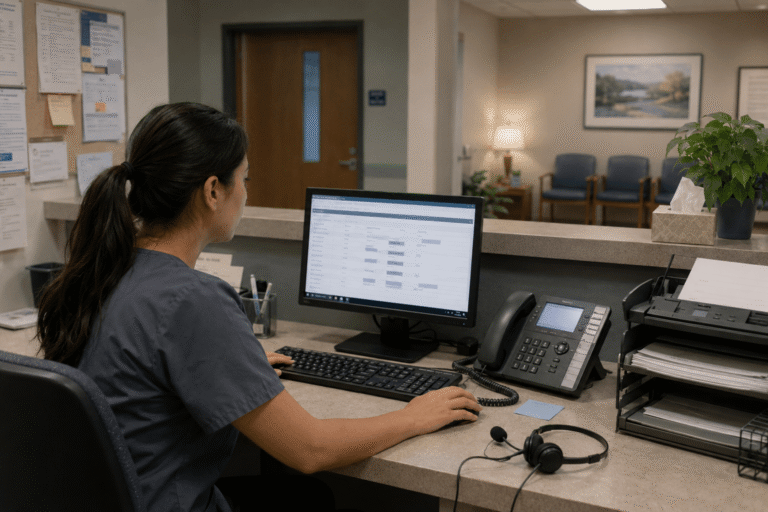
Practices across the country are searching for smarter ways to handle the constant flow of patient calls, appointment requests, and urgent inquiries. From trauma specialists juggling multiple locations to pediatric clinics offering same-day visits, the challenge remains the same: how do you stay responsive without letting administrative tasks overwhelm your team? Tools that simplify appointment management are no longer a luxury they’re essential for delivering the kind of care patients expect today.
Missed calls, scattered text messages, voicemails buried in separate apps disrupt patient care and expose practices to compliance risks. Erodes patient trust, longer waits and wasted staff time. RingRx changes that by combining voice, secure texting, fax, video visits, and on-call scheduling into one intuitive, fully HIPAA-compliant platform designed specifically for medical workflows. See how your practice can grow, run more smoothly, and deliver a better experience for every patient. Sign Up for RingRx Free Trial today!
The Daily Reality for Healthcare Providers
Walk into almost any medical office, urgent care center, or therapy practice, and you’ll see the pattern. Phones ring with questions about availability, follow-up instructions, or last-minute changes. Staff members toggle between scheduling software, voicemail, text messages, and fax machines. For smaller practices serving families or elderly patients, these interruptions pull providers away from what matters most: actual patient care.
Even larger organizations spanning multiple states feel the strain. When patients expect quick responses across phone, text, and email, outdated systems create bottlenecks. The result? Frustrated callers, missed opportunities, and teams that spend more time managing chaos than supporting health outcomes.
Why Traditional Systems Fall Short
Many practices still rely on a patchwork of separate tools one for phone calls, another for texting, yet another for faxing and routing. This fragmentation leads to dropped messages, inconsistent patient experiences, and compliance headaches. Switching between platforms disrupts workflow and raises the risk of errors, especially when handling sensitive health information.
Questions about reliability often arise. Will a text get delivered promptly? Does the fax route correctly every time? And how do you maintain HIPAA standards across every channel without adding layers of complexity? These concerns are valid, particularly when cheaper alternatives promise simplicity but deliver hidden limitations or surprise costs.
A Healthcare-First Approach to Communication
What if your communication tools were actually built for medical workflows instead of forcing healthcare into generic business software? Platforms designed specifically for healthcare prioritize unified channels that feel natural to both providers and patients. Phone calls, secure texts, faxes, and intelligent routing all work together in one HIPAA-compliant environment.
This unified setup eliminates the need to check multiple inboxes or wonder whether a message made it through. Features tailored to healthcare such as automated appointment reminders, after-hours routing based on urgency, and seamless handoffs between staff help practices operate more efficiently. The focus stays on care rather than chasing down information.
Practices like trauma centers managing multiple locations or integrative health providers balancing in-person and telehealth visits benefit when communication aligns with real clinical needs instead of fighting against them.
The Growing Demand for Reliable Patient Communication
Healthcare providers face increasing pressure to deliver responsive support as patient volumes rise. Efficient communication solutions play a vital role in managing inquiries, scheduling appointments, and handling urgent matters around the clock. This helps enhance patient satisfaction and build lasting loyalty.
Rather than relying on fragmented systems, many practices are turning to purpose-built tools that streamline operations while maintaining the highest standards of security and reliability. The emphasis is on practical improvements that directly support better patient experiences and smoother daily workflows.
Addressing Common Concerns Head-On
Switching communication systems understandably feels disruptive. No one wants downtime or a steep learning curve when patients are counting on consistent access. The good news is that modern healthcare platforms emphasize smooth transitions with dedicated support and minimal interruption to daily operations.
Reliability across all channels matters deeply. Leading solutions invest in redundant systems and healthcare-specific testing to ensure messages reach the right person quickly, whether it’s a routine appointment confirmation or an urgent callback request. Transparency plays a key role here clear expectations around uptime and performance help build confidence.
On the compliance front, true HIPAA alignment goes beyond basic checkboxes. It includes built-in encryption, audit trails, and features that support secure sharing without extra steps. When evaluating options, practices often discover that investing in purpose-built tools actually reduces long-term risk compared to mixing consumer-grade apps with workarounds.
Real-World Impact on Appointment Management
Consider how simplified communication changes the patient journey. A parent needing a same-day sick visit for their child can text or call and receive prompt confirmation without navigating confusing menus. A patient recovering at home can request a refill or update through secure channels that integrate directly with the care team’s workflow.
These efficiencies free up staff time for meaningful interactions. Instead of playing phone tag, teams can focus on coordinating care, following up on treatment plans, or addressing concerns proactively. The ripple effect improves patient satisfaction and helps practices retain both patients and talented employees who want to spend their days practicing medicine, not managing technology.
From direct primary care clinics to home health providers supporting elderly patients, the ability to manage appointments fluidly directly supports better health outcomes and stronger relationships.
Standing Out with Transparent Value
In a crowded market of communication options, certain platforms differentiate themselves through straightforward approaches. Healthcare-first design means features that map to actual clinical routines rather than generic productivity hacks. Unified HIPAA-compliant communications reduce friction while maintaining the highest security standards. And perhaps most refreshingly, transparent pricing removes the anxiety of unexpected fees or complicated billing.
These elements matter especially for independent practices and specialized providers who need reliable tools without enterprise-level overhead. When technology fades into the background and simply works, providers can redirect their energy toward what drew them to healthcare in the first place.
Moving Forward with Confidence
Choosing the right telecommunication tools doesn’t have to mean overhauling your entire operation. Start by identifying the friction points in your current setup missed calls during busy hours, delays in routing urgent messages, or time lost to manual follow-ups. Solutions that unify these processes while respecting healthcare realities can make a meaningful difference.
For practices already exploring options, the key is finding partners that understand the unique pressures of clinical work. When communication tools are designed with medical workflows in mind, they stop being another task on the list and become a quiet enabler of better care.
In the end, simplifying appointment management isn’t just about technology. It’s about creating space for the human connections that define good medicine. As more providers across specialties discover tools that truly support their work, the entire patient experience stands to improve one clear, reliable interaction at a time.
Frequently Asked Questions
What telecommunication tools help healthcare practices simplify appointment management?
Healthcare-first communication platforms that unify phone calls, secure texting, faxing, and intelligent routing in one HIPAA-compliant environment are the most effective tools for simplifying appointment management. Unlike generic business software, these purpose-built solutions include features like automated appointment reminders, after-hours urgency routing, and seamless staff handoffs. They eliminate the need to juggle multiple disconnected systems, reducing missed messages and administrative bottlenecks.
How do unified healthcare communication systems ensure HIPAA compliance?
Purpose-built healthcare communication platforms go beyond basic compliance checkboxes by incorporating built-in encryption, audit trails, and secure sharing features across every channel. This is a key advantage over mixing consumer-grade apps with manual workarounds, which can introduce hidden vulnerabilities and compliance risks. Practices benefit from a single, consistent security standard whether communicating via phone, text, or fax.
How does better appointment management communication improve patient satisfaction?
Streamlined communication tools allow patients to quickly confirm, reschedule, or request appointments via their preferred channel phone, text, or secure messaging without navigating confusing menus or waiting on hold. This responsiveness reduces friction in the patient journey and frees up staff to focus on meaningful care coordination instead of administrative tasks like phone tag. The result is stronger patient relationships, higher retention, and improved overall health outcomes.
Disclaimer: The above helpful resources content contains personal opinions and experiences. The information provided is for general knowledge and does not constitute professional advice.
You may also be interested in: Strategic Cost Management for Healthcare – RingRx
Missed calls, scattered text messages, voicemails buried in separate apps disrupt patient care and expose practices to compliance risks. Erodes patient trust, longer waits and wasted staff time. RingRx changes that by combining voice, secure texting, fax, video visits, and on-call scheduling into one intuitive, fully HIPAA-compliant platform designed specifically for medical workflows. See how your practice can grow, run more smoothly, and deliver a better experience for every patient. Sign Up for RingRx Free Trial today!
Powered by flareAI.co