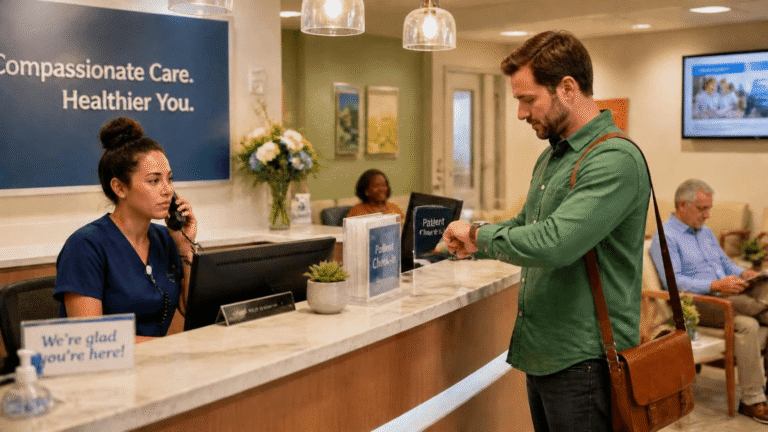
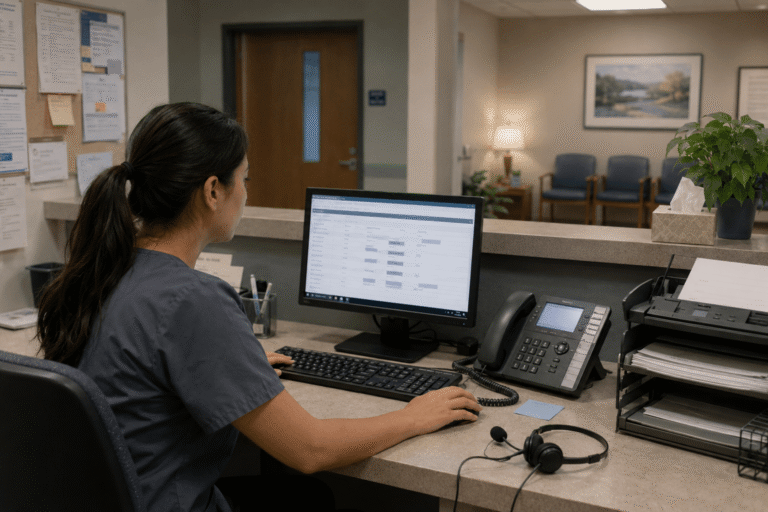
Telehealth has evolved from a convenient option into an essential component of patient care. Yet many practices continue to grapple with fragmented communication systems that hinder efficiency missed calls, delayed faxes, scattered texts, and cumbersome video setups that divert clinicians from what matters most: delivering quality care. The outcome is often frustrated staff, extended wait times, and patients who feel underserved rather than supported.
Imagine a single platform that seamlessly unifies phone calls, secure texting, electronic faxing, and video visits while aligning perfectly with real medical workflows. Across the country, healthcare practices are adopting such integrated solutions, experiencing transformative improvements in daily operations and patient satisfaction.
Missed calls, scattered text messages, voicemails buried in separate apps disrupt patient care and expose practices to compliance risks. Erodes patient trust, longer waits and wasted staff time. RingRx changes that by combining voice, secure texting, fax, video visits, and on-call scheduling into one intuitive, fully HIPAA-compliant platform designed specifically for medical workflows. See how your practice can grow, run more smoothly, and deliver a better experience for every patient. Sign Up for RingRx Free Trial today!
The Growing Need for Smarter Telehealth Communication
Healthcare providers today operate under intense pressure to deliver responsive, round-the-clock support amid rising patient volumes and heightened expectations for quick, secure interactions. Traditional approaches relying on disconnected tools create unnecessary friction, from separate apps for calls and messaging to standalone fax services and isolated telehealth platforms.
Practices specializing in areas such as trauma care, integrative health, psychological assessments, and family medicine are increasingly turning to unified platforms specifically designed for clinical environments. These solutions prioritize HIPAA-compliant patient communication while streamlining operations and enhancing overall efficiency.
Understanding the Challenges in Current Telehealth Workflows
Many providers still depend on multiple disconnected systems, leading to common frustrations: patients reaching voicemail during peak hours, follow-up texts sent through non-compliant consumer apps, referral faxes landing in overlooked inboxes, and video visits requiring separate logins. This fragmentation results in wasted time, repeated outreach efforts, and elevated risks of miscommunication or delayed responses.
These issues weigh particularly heavily on smaller and mid-sized practices without dedicated IT support. Clinical staff often balance administrative duties with patient care, making any additional complexity a significant burden that can compromise attention to critical details.
Key Strategies for Optimizing Telehealth Workflows
Successful optimization starts with a thorough mapping of existing processes to pinpoint bottlenecks. Consolidating communications into one intuitive platform supports voice calls, secure messaging, electronic faxing, and integrated video visits. Intelligent call routing directs patients to the appropriate team member promptly, whether during business hours or after-hours on-call coverage.
Automation further enhances efficiency through customizable templates for appointment reminders and follow-ups, which help reduce no-shows while freeing staff for more meaningful clinical work. Secure mobile access enables clinicians to respond from anywhere without sacrificing privacy or disrupting established workflows. When these capabilities integrate smoothly, the entire patient journey from initial contact through post-visit care becomes significantly more reliable and patient-centered.
Why Healthcare-First Platforms Make the Difference
Generic communication tools frequently require practices to reshape their processes to accommodate the technology, creating ongoing friction. In contrast, platforms engineered with genuine medical workflows in mind integrate naturally, supporting advanced routing, on-call scheduling, voicemail transcription, and seamless connections with existing practice management systems.
A particularly effective approach highlights three essential strengths: a healthcare-first design tailored to clinical realities, unified HIPAA-compliant communications featuring specialized tools, and transparent pricing structures that prevent unexpected expenses. These elements strongly appeal to practices seeking to move beyond patchwork solutions.
Specialists in trauma care managing sensitive schedules, integrative health providers coordinating comprehensive care plans, and psychological assessment teams handling detailed intakes all benefit from systems that emphasize both robust security and operational simplicity.
Addressing Common Objections to Upgrading Communication Systems
Transitioning to a new platform can understandably raise concerns in high-stakes medical settings where reliability is paramount. Practices often worry about potential disruptions to daily operations, questions around long-term value compared to budget options, or the need for clear evidence of strong HIPAA compliance.
Well-designed modern solutions address these through streamlined onboarding with minimal training, redundant infrastructure for enhanced reliability, and thoroughly documented compliance measures. Transparent pricing models eliminate surprises, while measurable outcomes such as faster response times, reduced communication gaps, and improved staff satisfaction quickly demonstrate the advantages once teams experience the unified workflow in action.
Real-World Impact on Patient Care and Practice Efficiency
When telehealth communications function seamlessly, the advantages extend well beyond administrative savings. Patients enjoy timely responses for scheduling or post-visit questions, while clinicians dedicate more time to direct care and less to chasing information. Practices frequently observe lighter administrative loads, better staff work-life balance, and elevated patient satisfaction metrics.
The broader healthcare landscape reinforces this evolution. Demand for efficient patient management solutions continues to expand as systems handle growing volumes and prioritize enhanced communication. Tools that reliably deliver 24/7 accessibility play a vital role in building patient loyalty and supporting operational resilience. For context, the global medical answering services market reflects this trend, valued at approximately USD 2.5 billion in 2023 and projected to reach USD 4.9 billion by 2032, driven by needs for better patient management and optimized efficiencies.
Choosing the Right Tools for Long-Term Success
Not every communication solution fits healthcare environments effectively. Practices should assess platforms based on integration capabilities with current systems, intuitive design for clinical teams, and scalability to accommodate future growth. Valuable features include customizable routing, secure patient portals for messaging, and centralized access to call logs, texts, and faxes for a truly cohesive experience.
From specialized mental health services to family-oriented care, diverse practices thrive when technology flexibly adapts to their specific requirements rather than enforcing rigid frameworks. The overarching objective remains delivering outstanding care while maintaining lean, fully compliant operations.
Looking Ahead: Telehealth as a Strategic Advantage
Optimized telehealth workflows represent far more than a simple technical improvement they serve as a strategic asset enabling practices to excel amid shifting patient expectations and regulatory requirements. By unifying communications within a secure, user-friendly platform, providers can minimize friction, deepen patient relationships, and concentrate resources on healing and support.
Practices that have already embraced this shift often report smoother daily operations and greater peace of mind. What previously involved constant management of missed messages and disjointed tools now operates with natural flow. In today’s environment where every moment counts, achieving such clarity and control proves invaluable.
Ultimately, the most effective telehealth implementations keep people at the center both the patients receiving care and the committed professionals providing it. When advanced technology operates quietly in the background to facilitate stronger connections, the entire healthcare ecosystem benefits.
Frequently Asked Questions
What are the biggest challenges in optimizing telehealth workflows for medical practices?
The most common telehealth workflow challenges stem from fragmented communication systems separate apps for calls, non-compliant texting tools, overlooked fax inboxes, and video platforms requiring multiple logins. These disconnected systems waste staff time, increase the risk of miscommunication, and delay patient responses. Smaller and mid-sized practices are hit hardest, as clinical staff often juggle both administrative and patient care duties without dedicated IT support.
How does a unified, HIPAA-compliant communication platform improve telehealth efficiency?
A unified platform consolidates voice calls, secure messaging, electronic faxing, and video visits into one interface, eliminating the friction caused by switching between tools. Features like intelligent call routing, automated appointment reminders, and on-call scheduling reduce no-shows and free up staff for direct patient care. When all communication channels are centralized and HIPAA-compliant, practices see faster response times, fewer communication gaps, and improved staff satisfaction.
What should healthcare practices look for when choosing a telehealth communication solution?
Practices should prioritize platforms built specifically for clinical workflows rather than generic tools that require reshaping existing processes. Key features to evaluate include customizable call routing, secure patient messaging portals, voicemail transcription, integration with existing practice management systems, and transparent pricing to avoid unexpected costs. Scalability and minimal onboarding friction are also critical, ensuring the solution grows with the practice without disrupting daily operations.
Disclaimer: The above helpful resources content contains personal opinions and experiences. The information provided is for general knowledge and does not constitute professional advice.
You may also be interested in: Efficient, Secure, and Convenient: Why Healthcare Providers
Missed calls, scattered text messages, voicemails buried in separate apps disrupt patient care and expose practices to compliance risks. Erodes patient trust, longer waits and wasted staff time. RingRx changes that by combining voice, secure texting, fax, video visits, and on-call scheduling into one intuitive, fully HIPAA-compliant platform designed specifically for medical workflows. See how your practice can grow, run more smoothly, and deliver a better experience for every patient. Sign Up for RingRx Free Trial today!
Powered by flareAI.co