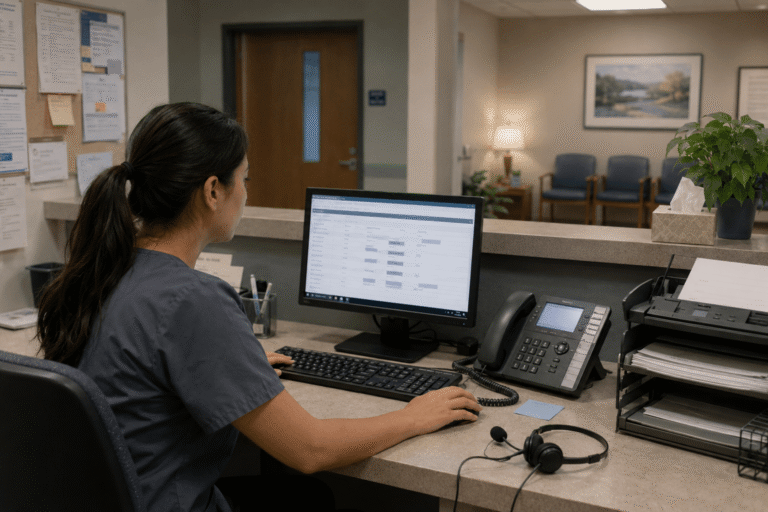
Automated patient communication systems can help healthcare teams manage reminders, messages, voicemail, calls, faxes, and follow-up with less manual tracking. For busy practices, automation works best when it supports routine communication without replacing staff judgment.
Administrative work often builds up around repeated patient communication tasks. Staff may need to send appointment reminders, review voicemail, answer common questions, route messages, or confirm whether follow-up was completed.
RingRx supports HIPAA-compliant phone, text, fax, video, voicemail, call routing, and on-call workflows in one platform for healthcare teams. That gives practices a clearer way to manage patient communication from one place.
Missed calls, scattered text messages, and voicemails buried in separate apps can disrupt patient care and create compliance concerns. They can also erode trust, lengthen response times, and waste staff time. RingRx supports HIPAA-compliant phone, text, fax, video, and on-call workflows in one platform for healthcare teams. See how RingRx can help your practice manage communication in one place. Sign up for a free RingRx trial today.
Why Administrative Communication Work Adds Up
Healthcare teams handle many small communication tasks each day. A single patient workflow may include a reminder, a voicemail, a text, a faxed document, and a follow-up call.
When those tasks are spread across separate systems, staff may spend extra time checking messages and confirming what happened. As a result, routine communication can become more difficult than it should be.
Automated patient communication systems can help streamline common tasks and reduce manual repetition.
Where Automation Fits Best
Automation is most useful for predictable communication tasks. It can help with appointment reminders, basic follow-up prompts, routing rules, voicemail workflows, and recurring patient instructions.
However, automation should not handle every patient interaction. Sensitive clinical questions, urgent concerns, or complex care decisions still need staff review and professional judgment.
For example, a reminder can ask a patient to confirm an appointment, while a clinical concern should be escalated to a phone call, a portal message, or another practice-approved process.
What Automated Patient Communication Systems Should Support
An automated communication system should help staff manage routine messages without creating another disconnected inbox. It should also support patient privacy and clear staff ownership.
Useful capabilities may include:
- Appointment reminders for appropriate patient communication
- Secure texting for short, practical messages
- Voicemail access and transcription where available
- Call routing by role, provider, department, or schedule
- Cloud-based faxing that staff can review and track
- After-hours and on-call routing controls
- Activity records or message history, where available
When these tools work together, staff have fewer disconnected places to check and a clearer way to manage follow-up.
Supporting HIPAA-Conscious Automation
Patient communication may include protected health information. Therefore, practices need systems and policies that support HIPAA-compliant workflows across phone, text, fax, voicemail, video, and routing.
Technology alone does not make a practice compliant. Teams still need staff training, privacy policies, appropriate vendor agreements, and clear rules for message content, access, and retention.
Before using automated patient communication systems, practices should confirm whether the vendor offers a business associate agreement. They should also review how patient communication data is protected, accessed, stored, and deleted.
How Automation Helps Front-Desk Teams
Front-desk teams often spend time repeating the same instructions and checking the same communication channels. Automation can help organize some of that work so staff can focus on patients who need direct support.
For example, reminders can be sent consistently, voicemail can be easier to review, and routing rules can send calls to the right queue. In addition, shared visibility can help the team see what still needs attention.
The goal is not to remove staff from patient communication. Instead, it is to reduce avoidable manual tracking and repeated tasks.
Common Concerns Before Automating Communication
Adding automation can raise practical questions. Will patients understand the messages? Can patients opt out? Which messages should staff review before sending?
A smoother rollout starts with clear rules. Practices should decide which tasks are safe to automate, which staff members can update templates, and when a conversation should move to another channel.
Common setup questions include:
- Which patient messages are appropriate to automate?
- How are consent and opt-outs managed?
- Who can create or edit message templates?
- How are replies routed and reviewed?
- What setup and training support is included?
The goal is not to automate every patient touchpoint. Instead, it is to automate routine communication where the workflow is clear and staff oversight remains available.
Choosing Automated Patient Communication Systems
Automated patient communication systems are most useful when they fit the way a practice already works. The right platform should help teams manage calls, texts, voicemail, fax, routing, and reminders without adding unnecessary complexity.
As they compare options, practices should look for healthcare-focused communication features, privacy safeguards, staff access controls, practical setup support, and transparent pricing.
For a broader context on patient messaging workflow design, this Mayo Clinic electronic InBox implementation study provides useful background.
Better automation does not replace staff judgment. However, it can give teams a clearer structure for handling routine communication and follow-up.
Frequently Asked Questions
How do automated patient communication systems reduce administrative burden?
Automated patient communication systems can reduce manual work by consolidating reminders, routing, voicemail, texts, and follow-up into fewer disconnected tools. They work best for routine communication with clear rules and staff oversight.
Are automated patient communication systems HIPAA-compliant?
They can support HIPAA-compliant workflows when they include appropriate safeguards, vendor agreements, access controls, and clear policies. Practices still need staff training and careful handling of protected health information.
What should practices automate first?
Start with routine, low-complexity tasks such as appointment reminders, basic follow-up prompts, voicemail routing, and standard instructions. Avoid automating sensitive clinical questions, urgent concerns, or complex patient decisions.
Disclaimer: This content is for general informational purposes and does not constitute legal or compliance advice.
You may also be interested in: Texting vs. Calling: What Patients Really Want in 2025
Missed calls, scattered text messages, and voicemails buried in separate apps can disrupt patient care and create compliance concerns. They can also erode trust, lengthen response times, and waste staff time. RingRx supports HIPAA-compliant phone, text, fax, video, and on-call workflows in one platform for healthcare teams. See how RingRx can help your practice manage communication in one place.